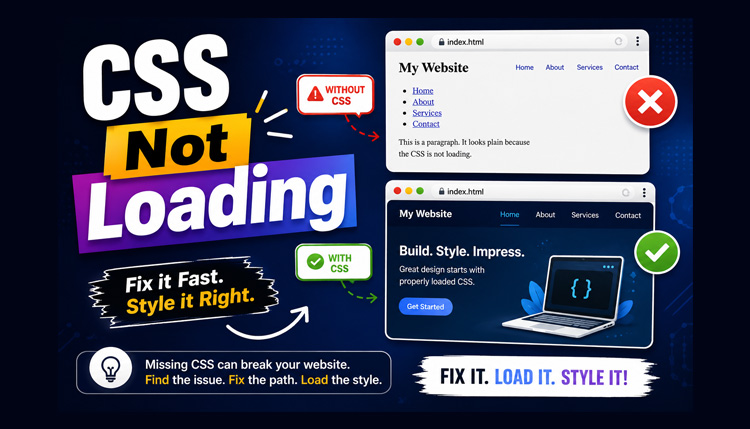
In HTML, lists are used to organize related items in a neat and readable format. They make web content easier to scan and understand, especially when you present steps, features, or menu items.
Structure of HTML Lists
<ul>
  <li>HTML</li>
  <li>CSS</li>
  <li>JavaScript</li>
</ul>
There are three main types of lists in HTML:
1. Unordered List
Tag: <ul>
Description: Displays bullet points (•, ○, ▪)
2. Ordered List
Tag: <ol>
Description: Displays numbered items (1, 2, 3…)
3. Other Lists (Description List)
Tag: <dl>
Description: Displays terms with their definitions
1. Unordered Lists ( <ul> )
An unordered list is used when the order of items doesn’t matter. It displays items with bullet symbols by default.
Syntax:
<ul>
  <li>HTML</li>
  <li>CSS</li>
  <li>JavaScript</li>
</ul>
💡 Each item is written inside the <li> tag (list item).
Change Bullet Type
You can change bullet styles using the type attribute (old HTML) or list-style-type in CSS (modern way).
Using HTML attribute:
<ul type="square">
  <li>Apple</li>
  <li>Banana</li>
  <li>Orange</li>
</ul>
Using CSS:
<style>
ul {
  list-style-type: circle;
}
</style>- disc – Default filled circle (●)
- circle – Hollow circle (○)
- square – Square bullet (▪)
- none – No bullets
Nested Unordered Lists
You can also create lists inside lists (nested lists). This is helpful for categories and subcategories.
Example:
<ul>
  <li>Frontend
    <ul>
      <li>HTML</li>
      <li>CSS</li>
    </ul>
  </li>
  <li>Backend
    <ul>
      <li>PHP</li>
      <li>Python</li>
    </ul>
  </li>
</ul>
💡 Tip: Nested lists automatically get indented for better readability.
2. Ordered Lists ( <ol> )
An ordered list displays items in a specific sequence or hierarchy. Use it when the order matters like steps in a process, rankings, or instructions.
Syntax:
<ol>
  <li>Step 1: Open Browser</li>
  <li>Step 2: Visit Website</li>
  <li>Step 3: Start Learning</li>
</ol>
Change Number Type
You can display numbers, letters, or Roman numerals using the type attribute.
- 1 – 1, 2, 3 (default)
- A – A, B, C
- a – a, b, c
- I – I, II, III
- i – i, ii, iii
Example:
<ol type="A">
  <li>HTML</li>
  <li>CSS</li>
  <li>JavaScript</li>
</ol>
Start Attribute
You can set the list to begin at a specific number using start.
<ol start="5">
  <li>Introduction</li>
  <li>Setup</li>
  <li>Run Code</li>
</ol>
Reversed Attribute
Use reversed to display the list in descending order.
<ol reversed>
  <li>HTML</li>
  <li>CSS</li>
  <li>JavaScript</li>
</ol>
💡 Use Case: Rankings, countdowns, or step-backwards tutorials.
Nested Ordered Lists
You can also nest ordered lists to create sublevels.
Example:
<ol>
  <li>Frontend
    <ol type="a">
      <li>HTML</li>
      <li>CSS</li>
    </ol>
  </li>
  <li>Backend
    <ol type="a">
      <li>PHP</li>
      <li>Python</li>
    </ol>
  </li>
</ol>
3. Other Lists (Description List)
The Description List (or Definition List) is used to display terms with their definitions. It uses three tags:
- <dl> – defines the list
- <dt> – defines the term (title)
- <dd> – defines the description (details)
Syntax:
<dl>
  <dt>HTML</dt>
  <dd>HyperText Markup Language – used to create webpages.</dd>

  <dt>CSS</dt>
  <dd>Cascading Style Sheets – used for webpage styling.</dd>
</dl>
💡 Use Case: Glossaries, FAQs, or key–value description formats.
Styling Description Lists
You can style <dl> lists using CSS for better appearance.
<style>
dt {
  font-weight: bold;
  color: #2c3e50;
}
dd {
  margin-left: 20px;
  color: #555;
}
</style>
Combining Lists (Advanced Example)
You can combine different types of lists together for complex layouts (like documentation menus).
Example:
<h3>Web Development Topics</h3>

<ol>
  <li>Frontend
    <ul>
      <li>HTML</li>
      <li>CSS</li>
      <li>JavaScript</li>
    </ul>
  </li>
  <li>Backend
    <ul>
      <li>Python</li>
      <li>PHP</li>
    </ul>
  </li>
  <li>Tools
    <dl>
      <dt>VS Code</dt>
      <dd>Text editor for developers.</dd>
      <dt>Git</dt>
      <dd>Version control system.</dd>
    </dl>
  </li>
</ol>
💡 Perfect for building documentation-style web pages.
Full HTML Lists Example
<!DOCTYPE html>
<html>
<head>
  <title>HTML Lists Example</title>
  <style>
    body {
      font-family: Arial, sans-serif;
      margin: 20px;
    }
    ul, ol, dl {
      margin-bottom: 20px;
    }
    ul {
      list-style-type: disc;
    }
    ol {
      list-style-type: decimal;
    }
    dt {
      font-weight: bold;
      color: #333;
    }
    dd {
      margin-left: 20px;
      color: #555;
    }
  </style>
</head>
<body>

<h2>HTML Lists Tutorial</h2>

<h3>Unordered List</h3>
<ul>
  <li>Apple</li>
  <li>Banana</li>
  <li>Mango</li>
</ul>

<h3>Ordered List</h3>
<ol type="I">
  <li>HTML</li>
  <li>CSS</li>
  <li>JavaScript</li>
</ol>

<h3>Description List</h3>
<dl>
  <dt>HTML</dt>
  <dd>Defines the structure of web pages.</dd>
  <dt>CSS</dt>
  <dd>Used to style and layout web pages.</dd>
</dl>

</body>
</html>- <ul> – Display bullet lists
- <ol> – Numbered or alphabetic lists
- <dl> – Term–definition format
- <li> – Represents each item
- <dt> – Defines the name
- <dd> – Defines the description