

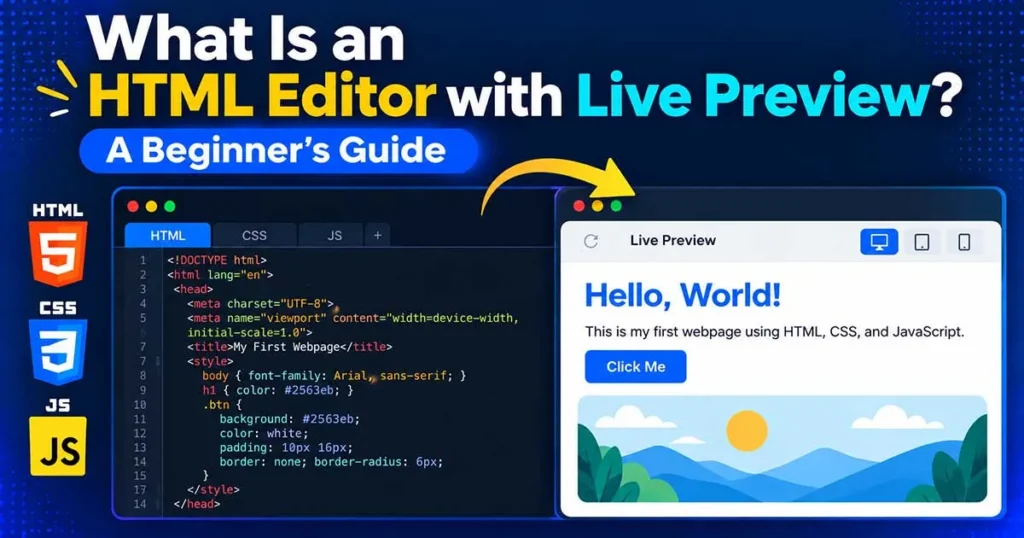
When you’re learning HTML, it helps to see what your code actually produces. You might write a heading, add a paragraph, or change a background color, but understanding the result is much easier when you can see it on the screen.
An HTML editor with live preview makes this possible. It gives you a place to write your code and view the resulting webpage in the same workspace. Depending on the editor, the preview may update automatically or require you to run your code.
In this guide, you’ll learn how these editors work, what you can do with them, and how to use one to practice HTML, CSS, and JavaScript.
What Is an HTML Editor with Live Preview?
An HTML editor with live preview is a coding tool that lets you write HTML and, in many cases, CSS and JavaScript while viewing the rendered result in a preview panel.
Instead of switching between a code editor and a separate browser window, you can make changes to your code and check the updated result in the same workspace.
Depending on the editor, the preview may update automatically as you type or after you run the code.

Why Use an HTML Editor with Live Preview?
A live preview is useful because it lets you check the appearance of a webpage while you’re working on it. Here are some practical reasons to use one.
1. See the Result of Your Code
You don’t have to rely entirely on your understanding of HTML and CSS. You can write an element, view the result, and adjust it if something looks wrong.
2. Learn by Experimenting
Beginners can change a heading, add an image, or modify a color and immediately compare the result. Small experiments like these can make unfamiliar concepts easier to understand.
3. Check Layout and Styling
A preview helps you spot visible issues such as uneven spacing, incorrect colors, oversized images, or elements that don’t appear where you expected them.
4. Test Small Code Examples
If you want to test a CSS property or try a short JavaScript function, an online editor can provide a convenient workspace without requiring you to create a new project for every experiment.
5. Keep Coding and Previewing Together
Working in a single interface reduces the need to switch repeatedly between your code editor and browser. This can make quick tests and small design changes more convenient.
Keep in mind that a visual preview won’t identify every coding error. JavaScript debugging, browser compatibility, accessibility checks, and responsive testing may still require additional tools.
Who Can Benefit from a Live Preview Editor?
Students and Beginners
If you’re learning web development, a live preview helps connect the code you write with the webpage it creates. You can practice basic HTML elements and gradually move on to CSS and JavaScript.
Web Developers
Developers can use these editors to test short snippets, experiment with styling, or check a small interface idea before incorporating it into a larger project.
Teachers and Trainers
A live preview can make demonstrations easier. Teachers can change a piece of code and show students how the webpage responds, making lessons more interactive.
Designers and Hobbyists
Anyone experimenting with a simple webpage can use a browser-based editor to try different layouts, colors, and typography without setting up a full development environment.
What to Look for in an HTML Editor with Live Preview
Not every editor offers the same features. Before choosing one, consider what you need for your work.
- HTML, CSS, and JavaScript support: Useful when building pages that include both styling and interactive behavior.
- Live preview or Run option: Lets you check the rendered webpage while working.
- Syntax highlighting: Makes code easier to read by displaying different elements, attributes, and values in different colors.
- Code formatting: Helps keep indentation and code structure consistent.
- Import and export options: Useful when you want to work with existing code or save your results.
- Light and dark modes: Let you choose a comfortable editor appearance.
- Responsive preview: Helps you inspect how a page behaves at different screen widths, if supported.
Choose an editor based on the tasks you actually perform. A beginner experimenting with simple HTML pages may need only a code editor and preview, while more advanced projects may require debugging and additional development tools.
Try an Online HTML Compiler
If you want to practice without installing a desktop editor, you can use our HTML Online Compiler. It provides a browser-based workspace for writing and testing HTML, CSS, and JavaScript.
You can experiment with code and inspect the output in the browser. Depending on the features available in the editor, options such as syntax highlighting, code formatting, light and dark modes, and import and export can also help organize your workflow.
For step-by-step instructions, read our guide on how to use an online HTML compiler.
Conclusion
An HTML editor with live preview makes it easier to connect your code with the webpage it produces. You can test HTML elements, adjust CSS styles, and experiment with JavaScript while viewing the results in the same workspace.
Whether you’re learning web development or testing a small design idea, the ability to see changes as you work can make the process more convenient.
Ready to try it yourself? Open our free HTML Online Compiler and start experimenting with your own code.