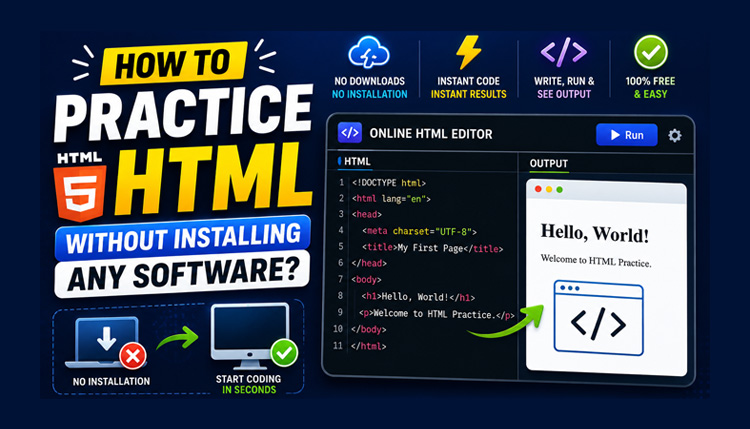
If you’re just starting your web development journey, you’ve probably heard that you need to install a code editor before you can practice HTML. Many beginners spend hours searching for the right software, downloading large applications, and trying to configure their computer before writing their first line of code.
The truth is much simpler you don’t need any of that to start learning HTML.
Today, you can practice HTML without installing any software by using a browser-based HTML editor. All you need is a web browser and an internet connection. Open an HTML Online Compiler, write your code, click Run, and see the result instantly. There’s no complicated setup, no software installation, and no technical barriers to slow you down.
This approach is perfect for students, beginners, teachers, and anyone who wants to improve their HTML skills through regular practice. Instead of spending time preparing your coding environment, you can spend more time actually writing code and understanding how HTML works.
In this guide, you’ll learn the best ways to practice HTML online, build good coding habits, and improve your skills without installing any software.
Can You Really Practice HTML Without Installing Software?
Yes, absolutely.
Unlike many programming languages that require compilers or development environments, HTML is simply a markup language that web browsers understand naturally. This means you don’t need expensive software or a powerful computer to begin learning.
A modern HTML Online Compiler provides everything you need in one place. You can write HTML, add CSS for styling, include JavaScript for interactivity, and preview your webpage immediately all from a single browser window.
For beginners, this is one of the easiest and fastest ways to learn web development because it removes unnecessary distractions. Instead of worrying about software installation, you can focus entirely on practicing HTML.
Why Regular HTML Practice Matters
Reading tutorials is useful, but reading alone won’t make you a better developer.
Real improvement comes from writing code every day.
When you practice HTML regularly, you begin to understand how different elements work together. You become more comfortable creating headings, paragraphs, images, tables, forms, and links. Over time, you’ll also make fewer syntax mistakes because writing HTML becomes a habit rather than something you have to memorize.
Even practicing for 20 to 30 minutes a day can make a noticeable difference.
Small, consistent practice sessions are usually more effective than spending several hours coding only once a week.
Benefits of Practicing HTML Online
Using an online editor offers several advantages, especially if you’re new to coding.
Start Coding in Seconds
One of the biggest benefits is convenience.
You don’t have to download a code editor, configure extensions, or install additional software. Simply open the online editor and begin writing HTML immediately.
This saves time and allows you to focus on learning instead of setup.
Learn by Seeing Instant Results
One of the easiest ways to understand HTML is by seeing what each line of code does.
As you write your HTML and click Run, the output appears instantly in the preview panel. This immediate feedback helps you understand how different HTML elements affect your webpage.
For beginners, this hands-on approach is much more effective than only reading documentation.
Practice from Any Device
Another advantage of browser-based coding is flexibility.
You can continue practicing from your desktop at home, your laptop in college, your office computer, or even your tablet while traveling.
Because everything works inside the browser, your learning isn’t limited to one computer.
Build Confidence Through Daily Practice
Many beginners hesitate because they think they need advanced knowledge before they can create a webpage.
In reality, confidence comes from practice not perfection.
Each small project you complete teaches you something new. A simple webpage today can lead to a complete website in the future.
The more often you practice, the more natural coding becomes.
Is an Online HTML Compiler Good for Beginners?
Absolutely.
A beginner-friendly HTML Online Compiler provides a simple workspace where you can write HTML, CSS, and JavaScript without dealing with complicated settings.
Instead of switching between multiple applications, everything is available on one screen:
- A code editor for writing HTML
- Separate tabs for CSS and JavaScript
- A Run button to test your code
- A live preview to view your webpage
- Tools like Beautify, Import, and Export to improve your workflow
This clean environment allows beginners to focus on learning rather than managing software.
The Best Way to Practice HTML Without Installing Any Software
Once you understand the basics of HTML, the next step is regular practice. Fortunately, you don’t need to install a code editor or configure your computer to improve your skills.
A browser-based HTML Online Compiler gives you everything you need to practice HTML in one place. You can write code, run it instantly, and see the output without switching between multiple applications.
Let’s look at some practical ways to practice HTML more effectively.
1. Practice with an HTML Online Compiler
The easiest way to practice HTML is by using an HTML Online Compiler.
Instead of creating folders, saving files, and opening them in a browser manually, everything happens in one workspace.
Simply open the editor, write your HTML code, click Run, and check the output in the preview panel.
If you want to change something, edit the code and run it again. This instant feedback helps you understand HTML much faster because you can immediately see how every change affects your webpage.
Whether you’re creating a simple heading or building a complete webpage, practicing inside an online compiler keeps the learning process simple and efficient.
2. Build Small HTML Projects
Reading examples is helpful, but creating your own projects teaches you much more.
Start with small and practical webpages instead of trying to build a complete website on your first day.
Here are a few beginner-friendly project ideas:
- Create your personal profile page.
- Design a simple “About Me” webpage.
- Build a contact page with a basic HTML form.
- Create a restaurant menu using tables.
- Design a photo gallery using images.
- Build a simple portfolio homepage.
- Create a list of your favorite books or movies.
Each small project introduces new HTML elements and helps you understand how different tags work together.
3. Practice One HTML Topic at a Time
Many beginners try to learn everything in a single session. This often leads to confusion because there are too many new concepts to remember.
Instead, focus on one topic at a time.
For example:
Day 1 – Learn headings, paragraphs, and text formatting.
Day 2 – Practice links and images.
Day 3 – Create ordered lists and unordered lists.
Day 4 – Work with HTML tables.
Day 5 – Build forms using input fields, checkboxes, radio buttons, and buttons.
Day 6 – Combine everything into one webpage.
Learning in small steps makes the process easier and helps you remember what you’ve practiced.
4. Improve Your Code by Experimenting
One of the fastest ways to learn HTML is by experimenting with your own code.
After creating a simple webpage, don’t stop there. Try changing different parts of it and observe what happens.
For example, you can:
- Change heading sizes.
- Replace text with your own content.
- Add more images.
- Create additional sections.
- Change the page title.
- Add more links.
- Create longer lists.
- Insert new tables.
Every small experiment teaches you something new.
Don’t worry if you make mistakes. Learning often happens when you fix them.
5. Use the Built-in Tools While Practicing
Most beginners only write code and click Run.
However, a good HTML Online Compiler provides several built-in tools that make practice easier.
For example:
- Beautify keeps your HTML code properly formatted and easier to read.
- Import lets you continue editing an existing HTML file.
- Export allows you to download your project as an HTML file.
- Desktop, Tablet, and Mobile Preview help you check how your webpage appears on different devices.
- Full Screen Mode gives you more space for coding.
- Theme and Font Size options make long practice sessions more comfortable.
Learning how to use these tools early will improve both your coding speed and your overall workflow.
Challenge Yourself with Small Exercises
After learning a new HTML concept, try completing a small challenge without looking at a tutorial.
For example:
- Create a webpage containing your name, photo, and short introduction.
- Build a timetable using an HTML table.
- Design a contact form with multiple input fields.
- Create a navigation menu with five links.
- Add an image gallery with captions.
- Create a Frequently Asked Questions (FAQ) page.
- Design a simple blog homepage.
These exercises encourage you to think independently instead of relying on copy-and-paste examples.
Common Mistakes to Avoid While Practicing HTML
Practicing HTML regularly is one of the best ways to improve your web development skills, but many beginners repeat the same mistakes. These habits may seem small at first, yet they often slow down learning and make coding more confusing than it needs to be.
If you avoid these common mistakes from the beginning, you’ll learn HTML more efficiently and build better coding habits.
Practicing Without Understanding the Code
One of the biggest mistakes is copying HTML examples from tutorials and running them without understanding how they work.
Copying code may help you complete a webpage quickly, but it doesn’t improve your knowledge. Instead, read every line carefully and ask yourself why a particular tag or attribute is being used.
Once you understand the example, make small changes to it. Replace the text, add another section, insert an image, or create additional links. These small modifications help you remember HTML much better than simply copying code.
Trying to Learn Everything at Once
HTML is easy to learn when you take one step at a time.
Many beginners try to study headings, tables, forms, semantic tags, multimedia, and CSS all in a single day. After a few hours, everything starts to feel confusing.
A better approach is to master one topic before moving to the next.
For example, spend one day practicing headings and paragraphs, another day working with images and links, and then move on to lists, tables, and forms. Learning gradually builds confidence and makes each concept easier to remember.
Ignoring Small Errors
Even experienced developers make mistakes while writing HTML.
A missing closing tag, an incorrect attribute, or a simple typing error can prevent your webpage from displaying correctly.
Instead of becoming frustrated, treat every mistake as a learning opportunity.
Read your code carefully, identify the problem, fix it, and run the code again. Over time, you’ll become much faster at spotting and correcting errors.
Practicing Only When You Have Free Time
Learning HTML once every few weeks won’t produce consistent progress.
Instead of waiting for a free day, try to practice a little every day.
Even spending 20 to 30 minutes writing HTML regularly is more effective than studying for several hours once a month.
Consistency helps you remember HTML tags naturally and improves your confidence much faster.
Tips to Learn HTML Faster
There isn’t a shortcut to mastering HTML, but there are smart ways to make your learning journey easier.
Start with simple webpages before attempting larger projects. Build one feature at a time instead of trying to create an entire website in one session.
After each practice session, review what you’ve learned. If you discover a new HTML element, try using it in different ways until you’re comfortable with it.
Challenge yourself regularly by creating pages without looking at examples. This helps you recall HTML tags from memory and strengthens your understanding.
Finally, don’t be afraid to experiment. Change your code, test different ideas, and observe the results. Every experiment teaches you something valuable.
Conclusion
Learning HTML doesn’t require expensive software, complicated setup, or advanced technical knowledge. Today, you can practice HTML without installing any software by using a browser-based HTML Online Compiler that lets you write code, run it instantly, and view the results in real time.
The secret to improving isn’t finding the perfect tutorial it’s practicing consistently. Build small projects, experiment with new HTML elements, review your mistakes, and challenge yourself with simple exercises every day. These habits will help you understand HTML more deeply and prepare you for learning CSS, JavaScript, and other web technologies.
If you’re serious about becoming a web developer, don’t wait until you have the “perfect” setup. Open an online HTML editor, start writing code, and keep practicing. Every webpage you create brings you one step closer to becoming a confident and skilled developer.