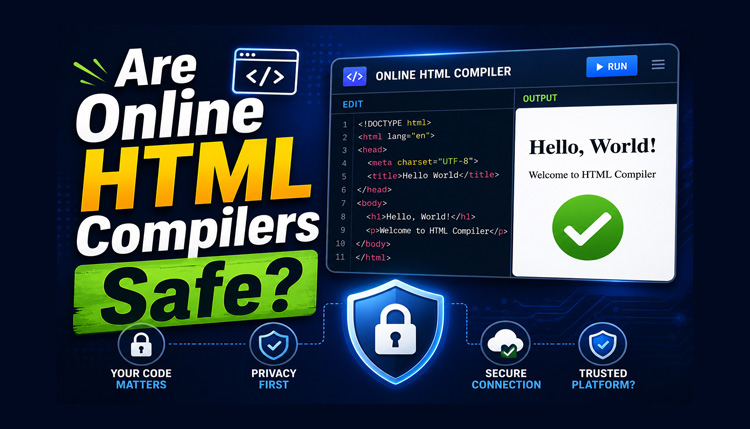
Online HTML compilers make it easy to write code and preview a webpage without installing software. You can open a browser, enter your HTML, add CSS or JavaScript, and see the result almost instantly. This convenience is useful for beginners, students, and developers who want to test a small piece of code.
However, before using one, you may wonder whether HTML compilers are safe. Can an online editor access your computer? Is your code private? What happens when you upload a file or share your project with someone else?
The answer depends on how the tool works, what permissions it requests, and how it handles your data. Most basic HTML editing tasks do not require access to sensitive information, but not every online coding tool offers the same level of security.
In this guide, you will learn about the main risks of online HTML compilers, how to protect your code, and what to check before choosing an editor.
What Is an Online HTML Compiler?
An online HTML compiler is a browser-based tool that lets you write, edit, and test HTML code without setting up a local development environment.
Although these tools are commonly called compilers, HTML itself is a markup language rather than a programming language that needs traditional compilation. Many online HTML compilers are actually code editors with a live preview.
For example, you can write a simple HTML document, add CSS to change its appearance, and use JavaScript to create interactive features. The editor then displays the resulting webpage in a preview area.
Depending on the tool, you may also find features such as code formatting, file importing, exporting, and different preview sizes.
These features make online editors convenient for learning web development. Still, convenience should not replace basic security precautions.
How Does an Online HTML Compiler Work?
Many beginners think an online compiler uploads every line of code to a remote server before displaying the result.
For a typical HTML, CSS, and JavaScript Online Compiler, that’s usually not how it works.
When you write HTML code and click Run, your browser renders the webpage using its built-in rendering engine. The HTML creates the page structure, CSS controls the appearance, and JavaScript adds interactivity.
Since modern browsers already understand these technologies, they can display the output instantly without requiring traditional compilation.
This is why practicing front-end code online feels so fast. You edit the code, run it, review the output, make changes, and repeat the process within seconds.
Are HTML Compilers Safe to Use?
In many cases, online HTML compilers are suitable for learning, experimenting, and testing non-sensitive code. However, their safety depends on the specific website and its technical implementation.
A straightforward editor that runs your code inside your browser may have a different privacy profile from a service that uploads projects to a remote server. Some platforms also offer public project sharing, cloud storage, external libraries, or third-party integrations.
Before using a tool, consider three important questions:
- Where does the code run? Check whether the editor processes code in your browser, on a remote server, or through a combination of both.
- What happens to your data? Read the privacy policy to understand whether code, uploaded files, or project details are stored or shared.
- What permissions does it request? Be cautious if a simple coding tool asks for access that does not appear necessary for its main purpose.
An online HTML compiler can be a practical choice for ordinary coding exercises. For confidential business projects, private source code, or sensitive information, a properly configured local development environment may be more appropriate.
Can an Online HTML Compiler Access Your Computer?
Opening a webpage does not normally give its owner unrestricted access to your computer. Modern browsers use security restrictions to separate websites from your local files and operating system.
For example, a basic HTML editor generally cannot browse through all the documents stored on your computer just because you opened it.
However, certain actions can give a website access to specific information or resources.
When You Upload a File
If you select an HTML, CSS, JavaScript, or other file and upload it, the website may receive a copy of that file. What happens next depends on the tool’s implementation and privacy practices.
Avoid uploading documents that contain passwords, private keys, customer information, or confidential company data unless the service is explicitly approved for that purpose.
When You Grant Browser Permissions
A website may request permission to use certain browser features, such as your camera, microphone, or clipboard. A basic HTML editor usually does not need most of these permissions for ordinary coding.
Review permission requests carefully and deny access that is unnecessary for your task.
When You Download Files
Downloaded code or project files should be treated like files from any other internet source. Review the contents before opening them in another application or running scripts.
The important point is that browser security provides protection, but it does not eliminate every possible risk.
Is Your Code Private When Using an Online HTML Compiler?
Code privacy is one of the most important things to consider before using an online editor.
Some tools process code directly in the browser. Others send code to a server to save projects, support collaboration, or provide additional features. You should not assume that every online compiler handles code in the same way.
If privacy matters, look for a clear privacy policy that explains:
- Whether code and uploaded files are transmitted to a server.
- Whether projects are stored and, if so, for how long.
- Whether saved projects are private or publicly accessible.
- Whether shared links allow other people to view your code.
- Whether information is shared with third-party services.
- How you can delete saved projects or account information.
Be especially careful with code copied from your workplace. A small example may contain an internal URL, an API endpoint, a customer name, or another detail that should not be shared publicly.
For practice, use sample code and fictional data whenever possible. This lets you learn and test features without exposing information that needs to remain confidential.
Can Other People See Your HTML Code?
That depends on the editor and the way you use it.
If you are working in a basic browser session, other people do not automatically gain access to your code simply because you typed it into an editor. However, you should not assume that your work is private without checking how the website processes and stores it.
Some online coding platforms let users save projects, publish examples, or share them through a link. A published project may be visible to anyone who has access to its public page.
Before sharing a project, check its visibility settings. Remove passwords, private tokens, personal information, and confidential details from the code.
Remember that hiding information in the visual preview does not necessarily remove it from the source code. HTML comments, JavaScript variables, and embedded configuration values may still be visible to someone who can inspect the page.
Security Risks to Watch Out For
Online HTML compilers can be useful, but a few common risks deserve attention.
1. Running Untrusted JavaScript
JavaScript can make webpages interactive, but it can also perform unwanted actions within the limits of the browser and any permissions or integrations available to it.
Do not paste and run unfamiliar scripts without understanding what they do. Be especially cautious with code from unknown websites, messages, or untrusted downloads.
2. Sharing Sensitive Source Code
A project may contain information that is not immediately visible on the webpage, such as internal paths, test credentials, or private configuration values.
Review your code before uploading or publishing it. Replace real credentials and private data with safe example values.
3. Using Suspicious Websites
A website that imitates a familiar coding tool may attempt to collect personal information or encourage you to download unwanted software.
Check the domain name, use HTTPS, and look for a clear privacy policy and contact information. HTTPS protects data in transit, but it does not automatically prove that a website is trustworthy.
4. Including Untrusted External Scripts
HTML projects may load JavaScript libraries, fonts, images, or other resources from external websites. These resources can introduce privacy or security concerns if their sources are unreliable.
Use trusted libraries and avoid adding scripts simply because an unknown website recommends them.
5. Assuming Every Feature Is Private
A live preview, an import option, and a cloud-saving feature do not necessarily work in the same way. The privacy implications can change when you enable additional functionality.
Review how a tool handles the specific features you plan to use instead of assuming that the entire service operates locally.
How to Choose a Safer Online HTML Compiler
You do not need to avoid every online editor to protect yourself. Instead, choose tools carefully and follow sensible security practices.
Here are some things to check before getting started.
Look for a clear privacy policy. The website should explain how it handles user information and uploaded content.
Check the connection. Prefer websites that use HTTPS. Remember that a secure connection alone is not a complete security guarantee.
Understand the editing environment. If the website explains how code is processed, check whether it runs in your browser or is sent to a server.
Review permissions. A basic HTML editor should not need unnecessary access to your device.
Check sharing options. Find out whether projects are private by default, publicly published, or accessible through shared links.
Avoid entering confidential information. Use demonstration data for learning and testing. Never paste passwords, private API keys, or sensitive business information into an unverified tool.
Keep your browser updated. Current browser versions generally include important security improvements.
These precautions can help you make a more informed decision when selecting an online HTML editor.
Is Our Online HTML Compiler Suitable for Practice?
If you want to learn HTML or experiment with a simple webpage, you can visit HTMLOnlineCompiler.net.
An online editor can make practice easier because you can focus on writing code and understanding the result instead of spending time setting up software. You can start with a small HTML example, adjust its CSS, and observe how changes affect the page.
If you are new to the tool, follow the step-by-step guide on how to use an online HTML compiler.
For safe practice, begin with simple examples and avoid entering confidential information. Before using any editor for sensitive projects, review its privacy policy and confirm how its features handle your code.
Do not assume that a tool is completely private or secure without checking its actual implementation and published policies.
Conclusion
Online HTML compilers make web development more accessible by allowing you to write and test code directly in a browser. For everyday learning and simple experiments, they can be convenient alternatives to a full development setup.
Still, the question of whether HTML compilers are safe depends on the particular service and how you use it. Pay attention to privacy policies, file uploads, external scripts, project-sharing settings, and browser permissions.
The simplest rule is to use online editors for ordinary practice, understand how your chosen tool handles code, and keep confidential information out of services that have not been approved for it. With these precautions, you can enjoy the convenience of online coding while making more informed security decisions.