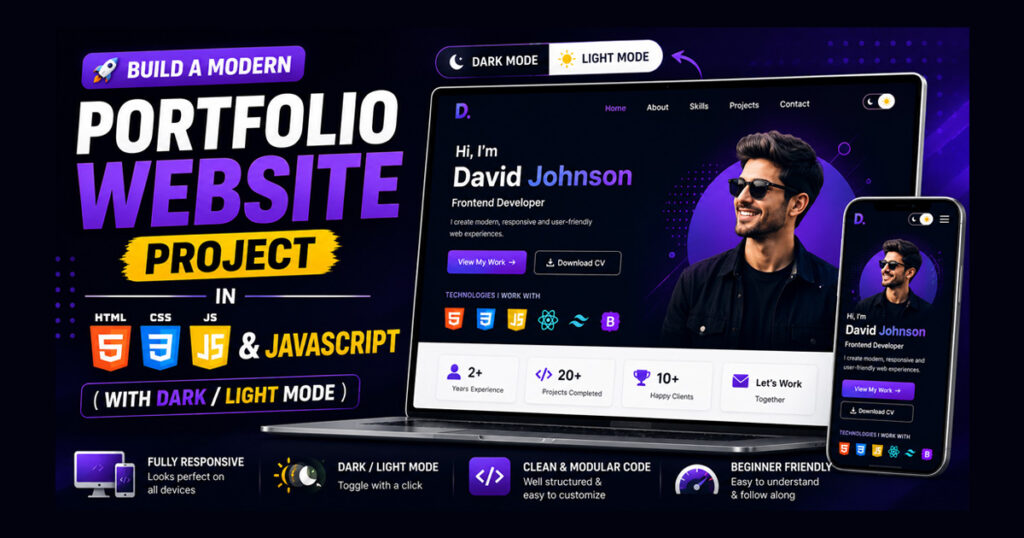
A portfolio website is one of the most valuable projects for anyone learning web development. Instead of simply listing your skills on a resume, a portfolio allows you to present your work, achievements, and experience in a professional way.
Whether you’re a student, web developer, designer, or freelancer, a well-designed portfolio can help you create a strong online presence. It gives recruiters, clients, and potential employers a place to learn more about you, explore your projects, and contact you easily.
For beginners, building a portfolio website is also an excellent learning experience. It combines many essential web development concepts into a single project and helps you understand how a complete webpage is structured.
In this article, you will find a modern portfolio website project built using HTML, along with its features and benefits; you can simply copy and paste the code anywhere you like.
Features
- Dark/Light Mode Toggle
- Responsive Layout (Mobile Friendly)
- Social Media Links (LinkedIn, GitHub, Twitter)
- Animated Project Cards
Benefits
- Helps beginners learn HTML, CSS, and JavaScript basics.
- Perfect for showcasing resumes and freelancing portfolios.
- Real-world projects.
Project Code
You can create your own modern portfolio by using the source code given below.
<!DOCTYPE html>
<html lang="en">
<head>
  <meta charset="UTF-8">
  <meta name="viewport" content="width=device-width, initial-scale=1.0">
  <title>Modern Portfolio</title>
  <style>
    :root {
      --bg-color: #f8f9fa;
      --text-color: #2c3e50;
      --card-color: #fff;
    }
    body.dark {
      --bg-color: #1e272e;
      --text-color: #f5f6fa;
      --card-color: #2f3640;
    }
    * { margin: 0; padding: 0; box-sizing: border-box; }
    body { font-family: 'Segoe UI', sans-serif; background: var(--bg-color); color: var(--text-color); transition: 0.3s; }
    header { padding: 60px 20px; text-align: center; background: linear-gradient(135deg, #1abc9c, #16a085); color: #fff; }
    header h1 { font-size: 2.8rem; margin-bottom: 10px; }
    header p { font-size: 1.2rem; }
    nav { background: #16a085; padding: 10px; text-align: center; }
    nav a { color: white; margin: 0 15px; text-decoration: none; font-weight: 500; }
    nav a:hover { text-decoration: underline; }
    section { max-width: 1000px; margin: 40px auto; padding: 20px; }
    .card { background: var(--card-color); padding: 20px; border-radius: 12px; box-shadow: 0 5px 15px rgba(0,0,0,0.1); margin-bottom: 20px; transition: 0.3s; }
    .card:hover { transform: translateY(-5px); box-shadow: 0 8px 25px rgba(0,0,0,0.2); }
    footer { background: #16a085; color: white; text-align: center; padding: 15px; }
    .toggle-btn { position: fixed; top: 20px; right: 20px; padding: 10px; border: none; border-radius: 8px; cursor: pointer; background: #2c3e50; color: #fff; }
    .social { margin-top: 15px; }
    .social a { margin: 0 10px; color: #1abc9c; font-weight: bold; }
  </style>
</head>
<body>
  <button class="toggle-btn" onclick="toggleMode()">🌙 Dark Mode</button>
  <header>
    <h1>Dharmesh Portfolio</h1>
    <p>Web Developer | Blogger | Designer</p>
  </header>
  <nav>
    <a href="#">Home</a>
    <a href="#">Projects</a>
    <a href="#">Contact</a>
  </nav>
  <section>
    <div class="card">
      <h2>About Me</h2>
      <p>I am Dharmesh, a passionate Web Developer & Blogger skilled in HTML, CSS, and JavaScript. I build modern and creative websites.</p>
    </div>
    <div class="card">
      <h2>Projects</h2>
      <p>✔ Modern Portfolio Website<br>✔ Interactive Calculator<br>✔ Restaurant Menu</p>
    </div>
    <div class="card">
      <h2>Connect With Me</h2>
      <div class="social">
        <a href="#">LinkedIn</a> |
        <a href="#">GitHub</a> |
        <a href="#">Twitter</a>
      </div>
    </div>
  </section>
  <footer>
    <p>© 2025 Dharmesh | Designed with ❤️</p>
  </footer>
  <script>
    function toggleMode(){ document.body.classList.toggle("dark"); }
  </script>
</body>
</html>
The design of this card will look like the image given below,
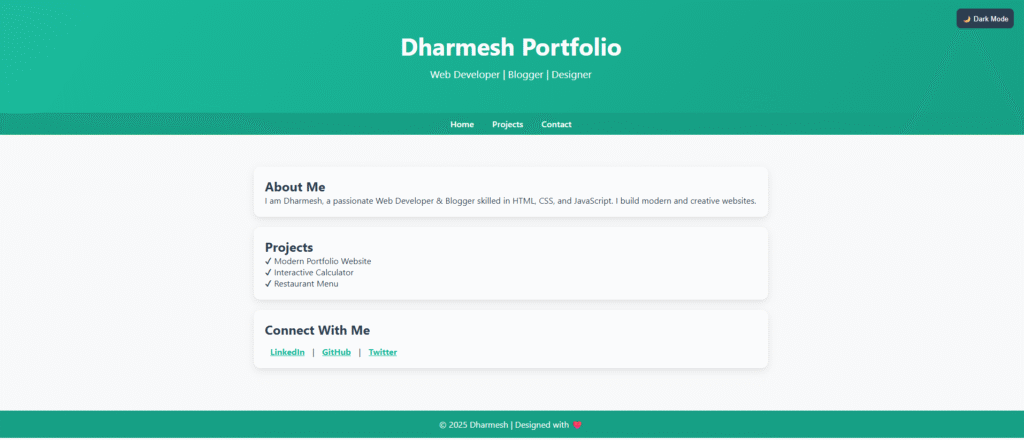
In this, you can make it more attractive by adding your stylish additions and a single page website will also be created which people actually create for backlinks or add a separate link to their website.
Conclusion
A portfolio website is one of the most practical and rewarding projects you can build while learning web development. It not only strengthens your understanding of webpage structure but also gives you a professional platform to showcase your work.
Start with a simple portfolio, keep improving it as your skills grow, and update it regularly with new projects and achievements. Over time, it becomes a valuable part of your professional identity and can help you stand out when applying for jobs, internships, or freelance opportunities.