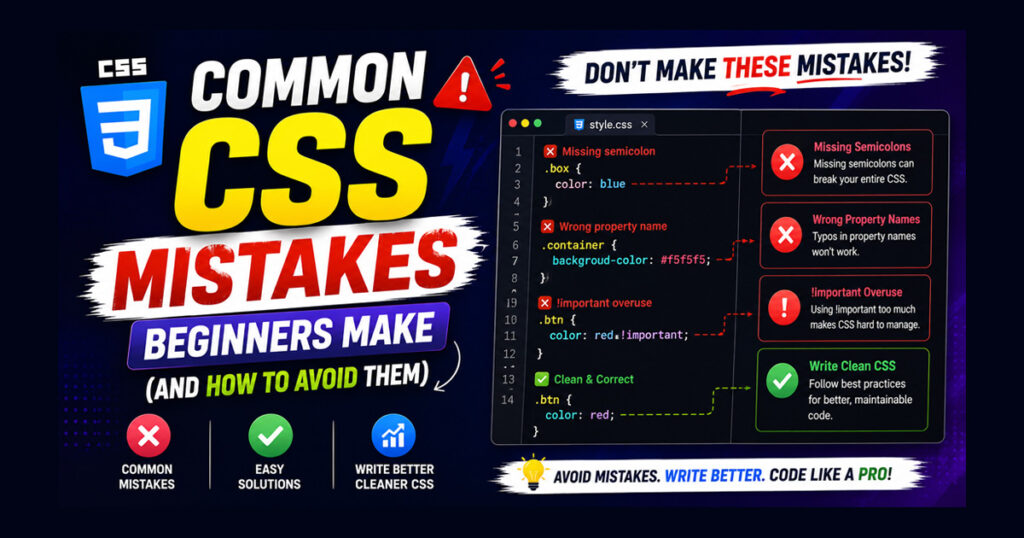
CSS is one of the first technologies every web developer learns after HTML. It transforms a plain webpage into something visually appealing by controlling colors, fonts, spacing, layouts, and responsiveness. While writing CSS may seem simple at first, many beginners unknowingly develop habits that make their websites difficult to maintain and sometimes even harder to improve later.
Most CSS mistakes don’t cause your website to stop working completely. Instead, they create small problems that gradually affect the overall quality of your project. A webpage may look perfect on your computer but appear broken on another screen size. Styles become difficult to update, unnecessary code starts piling up, and even small design changes take much longer than expected.
The good news is that these problems are completely avoidable. By understanding the common CSS mistakes beginners make, you can write cleaner stylesheets, build responsive layouts more confidently, and save yourself countless hours of debugging in the future.
In this guide, we’ll look at the most common CSS mistakes, explain why they happen, and learn practical ways to avoid them.
Why Learning Good CSS Practices Matters
Many beginners focus only on making a webpage “look right.” While appearance is important, good CSS is also about organization, readability, and long-term maintenance.
Imagine creating a small website with only two pages. Writing random CSS might not seem like a problem. But after adding twenty or thirty pages, finding and editing those same styles becomes frustrating.
Writing clean CSS helps you:
- Keep your stylesheet organized.
- Make future updates easier.
- Create consistent designs across your website.
- Reduce unnecessary repetition.
- Improve teamwork when working with other developers.
Developing these habits early will make learning advanced CSS much easier later.
1. Writing Inline CSS Everywhere
One of the most common CSS mistakes beginners make is adding styles directly inside HTML elements.
For example:
<p style="color:red; font-size:18px;">Hello World</p>At first glance, this seems convenient because the styling works immediately. Many beginners continue using inline CSS throughout an entire project because it’s quick and easy.
However, problems start appearing as the website grows.
Suppose you have fifty paragraphs using the same color. If you later decide to change that color, you’ll need to edit every single HTML element individually. This not only wastes time but also increases the chance of missing some elements.
Inline CSS also mixes content with presentation, making your HTML difficult to read and maintain.
A much better approach is to move styles into a separate stylesheet.
<link rel="stylesheet" href="style.css">Then write your styles inside the CSS file.
p{
    color:red;
    font-size:18px;
}
Using an external stylesheet keeps your HTML cleaner, allows styles to be reused throughout the project, and makes future updates much easier.
2. Copying CSS Without Understanding It
Another mistake beginners often make is copying CSS from tutorials, forums, or AI tools without understanding what each property actually does.
Copying code can certainly help you learn, but only if you take time to understand it.
Imagine copying a navigation bar that contains hundreds of lines of CSS. It may work perfectly today, but what happens when you want to change the spacing, colors, or layout?
Without understanding the existing code, even small modifications become confusing.
Instead of copying everything, try reading each property one by one.
Ask yourself questions like:
- Why is display: flex; being used?
- What does justify-content actually do?
- Why is position: relative; necessary here?
This habit helps you build real CSS knowledge instead of simply collecting snippets from different websites.
Learning slowly but understanding every property will make you a much stronger developer over time.
3. Ignoring CSS File Organization
Many beginners start with clean code, but after adding more sections, their stylesheet turns into a long list of random rules.
You might see something like this:
.button{
...
}

.footer{
...
}

.header{
...
}

.card{
...
}

.logo{
...
}
Nothing is grouped logically, making it difficult to find styles later.
A better approach is to organize CSS according to the website structure.
For example:
/* Header */

/* Navigation */

/* Hero Section */

/* Cards */

/* Footer */
Grouping related styles together makes your stylesheet easier to read and saves time whenever you need to edit something.
Even simple comments can make a huge difference once your CSS file becomes larger.
4. Using Fixed Pixel Values for Everything
Pixels are useful, but beginners often use them for every font size, spacing, and layout value without considering flexibility.
For example:
h1{
    font-size:40px;
}

p{
    font-size:16px;
}
There’s nothing technically wrong with using pixels. The problem comes when every measurement relies on fixed values.
Modern websites are viewed on phones, tablets, laptops, and large desktop monitors. Using only fixed sizes can make your design less flexible across different screen sizes.
For text, many developers prefer using rem because it scales more naturally with the root font size.
Example:
h1{
    font-size:2.5rem;
}

p{
    font-size:1rem;
}
This approach makes typography easier to manage and improves consistency throughout the website.
The important lesson isn’t to completely avoid pixels, but to understand when flexible units like rem, %, or em are more appropriate.
5. Using !important Too Often
When beginners notice that a CSS rule isn’t working, the quickest solution often seems to be adding !important.
For example:
h1{
    color: blue !important;
}
The problem is that this doesn’t solve the actual issue it simply forces the browser to apply that style. While it may fix the problem temporarily, using !important everywhere can make your stylesheet difficult to understand and maintain.
As your project grows, different rules begin competing with each other, and you’ll eventually find yourself adding more !important declarations just to override previous ones. This creates a cycle that’s hard to break.
Instead of relying on !important, take a moment to understand why your style isn’t being applied. In many cases, the problem is related to selector specificity, the order of your CSS rules, or an incorrectly targeted element.
Learning how CSS applies styles is far more valuable than forcing styles to work.
6. Writing Duplicate CSS Rules
Another common CSS mistake beginners make is writing the same styles repeatedly for different elements.
Imagine creating several buttons like this:
.btn-primary{
    padding:10px 20px;
    border-radius:5px;
}

.btn-secondary{
    padding:10px 20px;
    border-radius:5px;
}

.btn-success{
    padding:10px 20px;
    border-radius:5px;
}
Although these buttons have different purposes, most of their styling is identical.
A cleaner approach is to create a reusable base class.
.btn{
    padding:10px 20px;
    border-radius:5px;
}

.btn-primary{
    background:#2563eb;
}

.btn-secondary{
    background:#6b7280;
}
This approach keeps your CSS shorter, easier to maintain, and much more organized. Whenever you need to change the button spacing or border radius, you only have to update one place.
Reusable CSS is one of the simplest habits that can dramatically improve code quality.
7. Ignoring Responsive Design
Many beginners build a webpage while looking only at their laptop screen. Everything appears perfect until they open the same website on a mobile phone.
Text becomes too large, images overflow the screen, buttons become difficult to tap, and layouts break completely.
Responsive design isn’t an extra feature anymore it’s a normal part of modern web development.
Whenever you create a new section, ask yourself a simple question:
“Will this still look good on a smaller screen?”
Instead of waiting until the entire website is finished, check your design regularly on different screen sizes during development.
Using flexible layouts, percentage-based widths, modern layout systems like Flexbox or Grid, and media queries when necessary will help your website adapt more naturally to different devices.
Making responsiveness part of your normal workflow is much easier than redesigning the entire website later.
8. Choosing Class Names That Don’t Describe Anything
Good CSS isn’t only about writing styles—it’s also about writing names that make sense.
Beginners often create class names like:
.box1
.box2
.box3
.red
.left
.bigtext
These names might seem acceptable while the project is small, but after a few weeks you’ll probably forget what each one was supposed to represent.
Instead, use names that describe the purpose of the element.
For example:
.hero-title
.product-card
.navigation-menu
.footer-links
.login-button
Descriptive class names make your code much easier to understand, especially if you return to the project after several months or collaborate with other developers.
Think of your class names as labels that explain the role of each element rather than its appearance.
9. Forgetting to Remove Unused CSS
As websites evolve, some sections are redesigned or removed completely. However, many beginners leave the old CSS in the stylesheet.
Over time, the CSS file becomes filled with rules that are never used.
This creates several problems:
- Larger stylesheet size.
- Harder maintenance.
- Difficulty finding active styles.
- Increased confusion during debugging.
Whenever you complete a major update, spend a few minutes reviewing your stylesheet.
If a section no longer exists on the website, there’s usually no reason to keep its CSS.
Cleaning unused styles regularly keeps your project easier to manage and prevents unnecessary clutter.
10. Using Too Many Colors and Fonts
It’s exciting to experiment with different fonts and colors while learning CSS. Unfortunately, many beginners end up using a different style for almost every section.
The result is a website that feels inconsistent rather than creative.
A better approach is to choose a small design system before you begin coding.
For example:
- One primary font for headings.
- One font for body text.
- A consistent primary color.
- One or two accent colors.
Following a consistent style makes your website look more professional and improves readability.
Remember, good design isn’t about using more colors—it’s about using them consistently.
11. Forgetting to Test CSS After Small Changes
One habit that separates experienced developers from beginners is testing frequently.
Some beginners write hundreds of lines of CSS before refreshing the browser. When something goes wrong, finding the exact mistake becomes difficult because dozens of recent changes could be responsible.
A better workflow is to make small changes and check the result immediately.
For example:
- Add a new section.
- Refresh the browser.
- Check whether everything still looks correct.
- Continue with the next change.
This simple habit makes debugging much faster because you’ll usually know exactly which change caused the problem.
Testing frequently also helps you notice layout issues before they become larger and more difficult to fix.
12. Not Using CSS Variables for Repeated Values
When beginners build their first website, they often repeat the same color codes, font sizes, and spacing values throughout the stylesheet.
For example:
h1{
    color:#2563eb;
}

.btn{
    background:#2563eb;
}

a{
    color:#2563eb;
}
At first, this doesn’t seem like a problem. But imagine changing your website’s primary color later. You’ll have to search through the entire CSS file and update every occurrence manually. Besides taking extra time, it’s easy to miss a few places, leading to inconsistent styling.
A cleaner approach is to define commonly used values once and reuse them throughout your stylesheet.
:root{
    --primary-color:#2563eb;
}

h1{
    color:var(--primary-color);
}

.btn{
    background:var(--primary-color);
}

a{
    color:var(--primary-color);
}
Using CSS variables keeps your code cleaner, reduces repetition, and makes future updates much easier. Even on small projects, this habit can save time as your stylesheet grows.
13. Making CSS Selectors More Complicated Than Necessary
Another common CSS mistake beginners make is writing selectors that are much longer than they need to be.
For example:
header nav ul li a{
    color:#333;
}
Although this works, deeply nested selectors make your CSS harder to read and more difficult to maintain. If the HTML structure changes, these selectors may stop working correctly.
Whenever possible, keep your selectors simple and meaningful.
For example:
.nav-link{
    color:#333;
}
Short, descriptive class selectors are easier to understand and make your stylesheet more flexible. They also reduce unnecessary complexity when updating your design later.
14. Forgetting to Check the Website in Different Browsers
Many beginners test their website only in one browser. If everything looks correct there, they assume it will work everywhere.
In reality, browsers don’t always render CSS in exactly the same way. Small differences in spacing, fonts, or layout can appear depending on the browser or operating system.
Before publishing a website, it’s a good habit to check it in at least two or three modern browsers. If possible, also test it on both desktop and mobile devices.
This simple step helps you catch layout issues early and gives visitors a more consistent experience.
15. Trying to Make Everything Perfect on the First Attempt
One of the biggest learning mistakes isn’t related to CSS syntax at all it’s expecting every design to be perfect from the beginning.
Many beginners spend hours adjusting tiny details like margins, colors, or font sizes before finishing the rest of the page. Eventually, progress slows down and learning becomes frustrating.
A better approach is to build your layout first, then improve it gradually.
Think of your first version as a working draft. Once the structure is complete, you can refine spacing, typography, colors, and responsiveness step by step.
This workflow is how many experienced developers build websites. They focus on progress first and polish later.
Best Practices to Avoid Common CSS Mistakes
Building good CSS habits from the beginning will make every future project easier to manage. Here are a few practices worth following whenever you write CSS:
- Keep your CSS in external stylesheets instead of using inline styles.
- Organize related styles into logical sections.
- Choose meaningful class names that describe the purpose of an element.
- Avoid repeating the same styles whenever possible.
- Test your website regularly while you’re coding instead of waiting until the end.
- Check your layout on different screen sizes before publishing.
- Remove CSS that is no longer being used.
- Keep your code simple, readable, and easy to maintain.
Following these habits won’t make you an expert overnight, but they’ll help you write cleaner and more reliable CSS as you continue learning.
Conclusion
Making mistakes is a natural part of learning CSS. Every experienced web developer has written messy stylesheets, struggled with layouts, and spent time fixing problems that could have been avoided with better habits.
The difference between a beginner and an experienced developer isn’t that one never makes mistakes it’s that experienced developers learn from them and gradually improve the way they write code.
If you remember one thing from this guide, let it be this: write CSS with future changes in mind. Organize your styles, keep your code readable, avoid unnecessary shortcuts, and test your work regularly. These simple habits will make your projects easier to manage as they become larger and more complex.
As you continue practicing, you’ll naturally avoid many of the common CSS mistakes beginners make and become more confident in building responsive, maintainable, and professional-looking websites.