

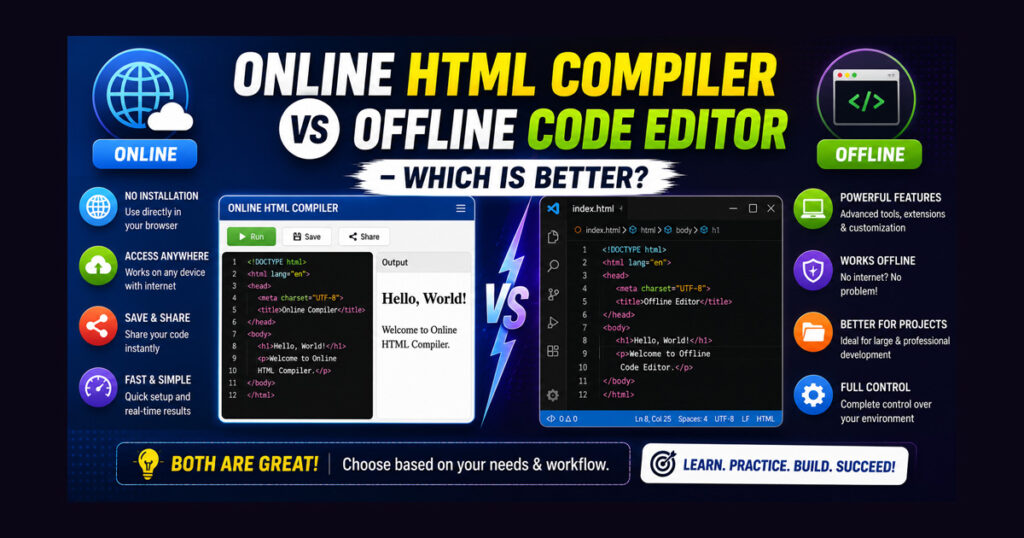
If you’re starting your web development journey, you’ve probably asked yourself this question: Should I use an Online HTML Compiler or an Offline Code Editor? It’s a common dilemma because both tools let you write HTML, CSS, and JavaScript, but they are designed for different situations.
Some beginners prefer an online compiler because it works instantly in the browser without any installation. Others choose an offline code editor because it offers more features and is widely used by professional developers.
The truth is that neither option is better in every situation. The right choice depends on what you’re trying to achieve. If your goal is to learn HTML quickly, an online compiler might be the perfect starting point. If you’re building large websites or working on professional projects, an offline code editor can provide the tools you need.
In this guide, we’ll compare Online HTML Compiler vs Offline Code Editor to help you understand their differences, strengths, and the situations where each one works best.
What Is an Online HTML Compiler?
An Online HTML Compiler is a browser-based coding tool that allows you to write HTML, CSS, and JavaScript directly in your web browser. There’s no need to download software or configure your computer before you start coding.
Most online compilers also provide a live preview, so you can see the results immediately after making changes. This makes learning faster because you receive instant visual feedback.
For beginners, an online compiler removes many technical barriers. Instead of worrying about installation or configuration, you can focus entirely on learning HTML and experimenting with different ideas.
What Is an Offline Code Editor?
An Offline Code Editor is software installed on your computer that helps you create and manage coding projects. Unlike browser-based tools, offline editors are designed to handle everything from small webpages to large web applications.
They often include features such as project management, file organization, code suggestions, debugging tools, and extensions that improve productivity.
Because of these advanced capabilities, offline editors are commonly used by professional developers and development teams.
Online HTML Compiler vs Offline Code Editor
Although both tools serve the same purpose, their approach is quite different.
| Feature | Online HTML Compiler | Offline Code Editor |
|---|---|---|
| Installation | Not required | Required |
| Internet | Usually required | Not required after installation |
| Learning Curve | Easy | Moderate |
| Live Preview | Usually built-in | Often requires setup or extensions |
| Large Projects | Limited | Excellent |
| Performance | Good for small projects | Better for large projects |
| Customization | Limited | Extensive |
| Best For | Beginners & practice | Professional development |
This comparison shows that each option has strengths depending on how you plan to use it.
When an Online HTML Compiler Is the Better Choice
An online compiler is ideal if your primary goal is learning or experimenting with code.
It is especially useful when you want to:
- Practice HTML without installing software.
- Test small HTML, CSS, or JavaScript snippets.
- Learn from online tutorials.
- Code on different devices.
- Experiment with new ideas quickly.
Because setup isn’t required, beginners can start coding within seconds.
When an Offline Code Editor Is the Better Choice
Offline code editors become more valuable as your projects grow.
They are better suited for:
- Building complete websites.
- Managing multiple files and folders.
- Writing large amounts of code.
- Debugging complex issues.
- Working on professional or client projects.
- Using extensions to improve productivity.
If you’re planning to become a professional web developer, you’ll eventually use an offline editor for most of your work.
Which One Is Better for Beginners?
If you’re learning HTML for the first time, an Online HTML Compiler is usually the better option.
It allows you to focus on coding instead of spending time installing software or learning complicated settings. You can practice HTML, CSS, and JavaScript in one place and immediately see the results in a live preview.
This simple workflow makes learning less overwhelming and encourages regular practice.
Which One Is Better for Students?
Students often need a tool that’s easy to access, works quickly, and doesn’t require a powerful computer.
For school assignments, coding exercises, and practice projects, an online compiler is usually more convenient. Since everything runs inside the browser, students can continue their work from different devices without worrying about software installation.
Which One Is Better for Professional Developers?
Professional developers usually work on websites that contain hundreds of files and require advanced development tools.
An offline code editor offers features such as intelligent code suggestions, debugging, version control integration, extensions, and project management. These tools improve productivity and make large projects easier to maintain.
For long-term professional development, an offline editor is generally the preferred choice.
Can You Use Both?
Absolutely.
Many experienced developers use both tools depending on the situation.
Conclusion
When comparing Online HTML Compiler vs Offline Code Editor, the better choice depends on your goals rather than the tool itself.
If you’re a beginner, student, or someone who wants to practice HTML without installing software, an online HTML compiler provides the fastest and easiest way to start coding.
If you’re building professional websites, managing large projects, or working as a web developer, an offline code editor offers the advanced features needed for efficient development.
Instead of asking which tool is universally better, ask yourself what you’re trying to accomplish today. As your skills grow, you’ll likely find that both tools have a place in your workflow.
A beginner can start with an online compiler to learn the fundamentals, then gradually move to an offline editor when working on larger and more complex projects. Choosing the right tool at the right time is what ultimately makes learning web development more effective.